Update your map
To update your map, update the model on Roblox and re-import rather than uploading a new model.
Step-by-step🔗
- Right-click on your MapCollection, then click on "Save/Export" and "Save to File".
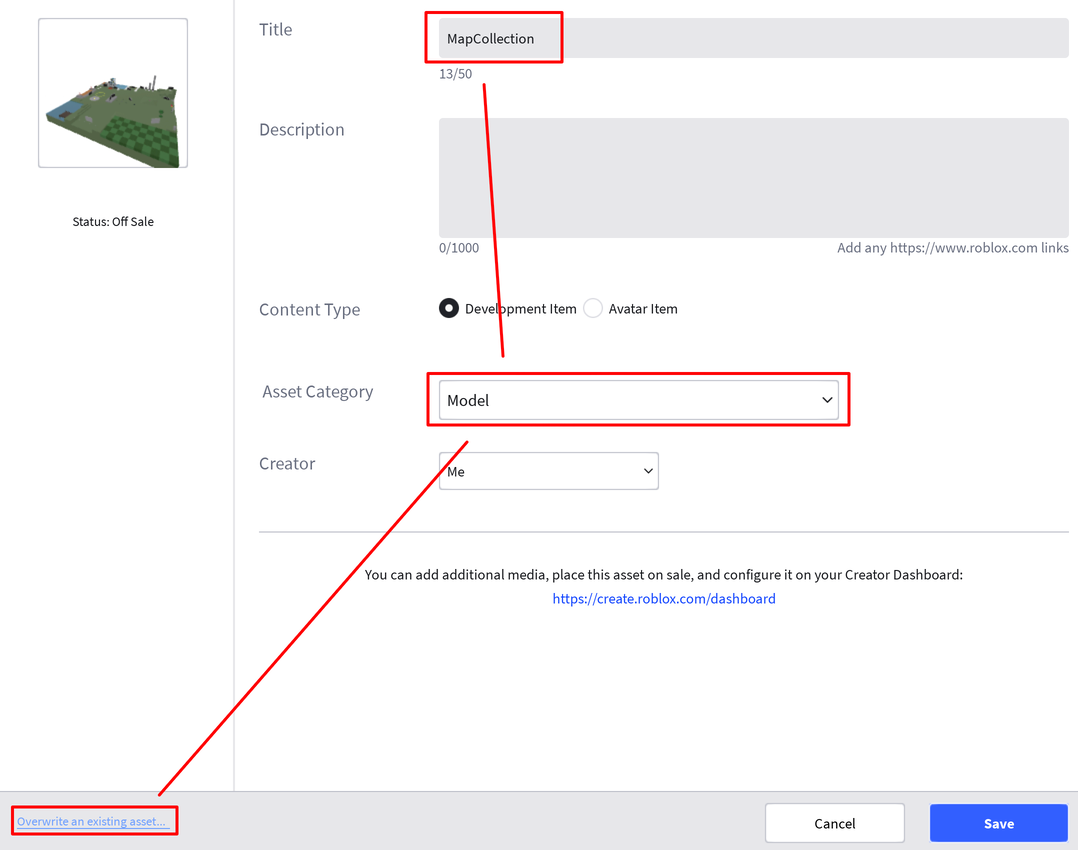
- You will be met with Roblox's Asset Configuration. Set the "Asset Category" to "Model" and click on "Overwrite an existing asset..." on the bottom left.
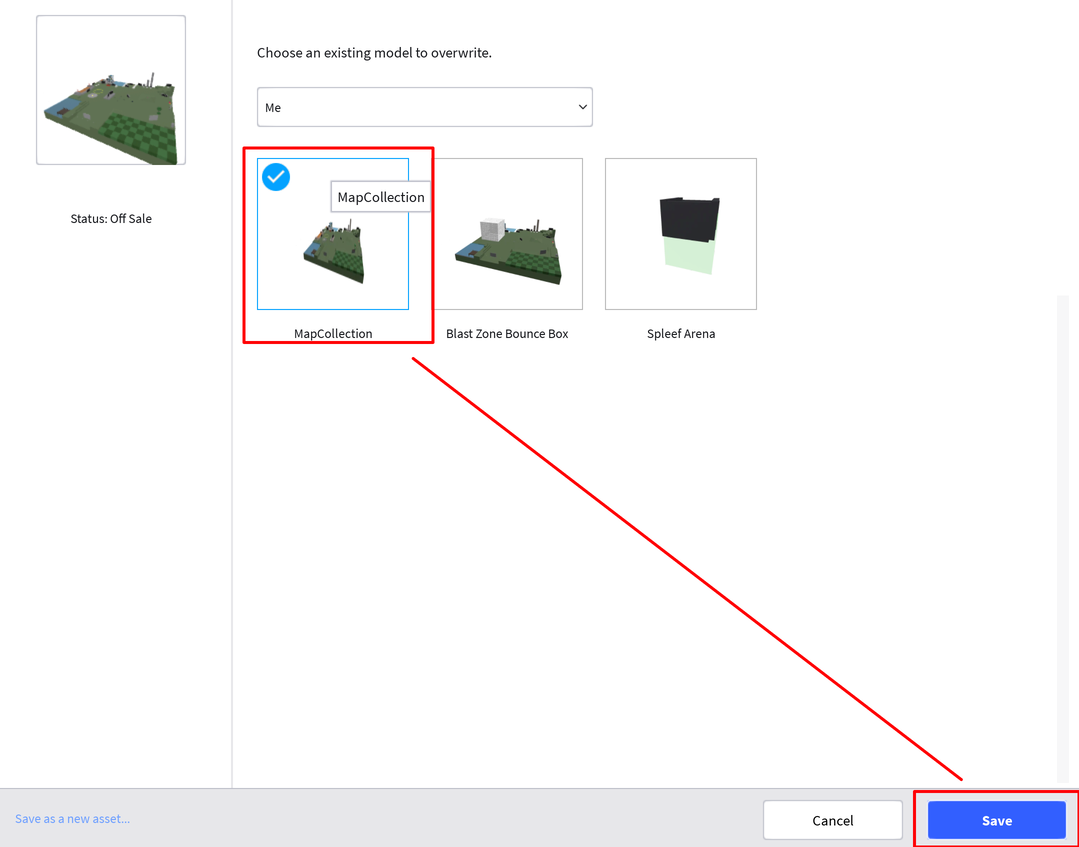
- Select the model you want to override, then click "Save".
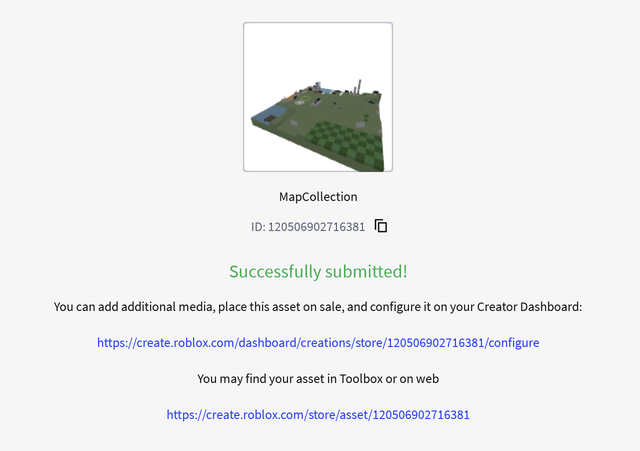
Copy the id of your new model, then re-import it into Blast Zone.